
Every WhatsApp number, in its own window.
Stop juggling separate apps and browser tabs for each number. RivetChat keeps every WhatsApp account in one app, each with its own window, login, sound and wallpaper, on your Mac and your Windows PC.
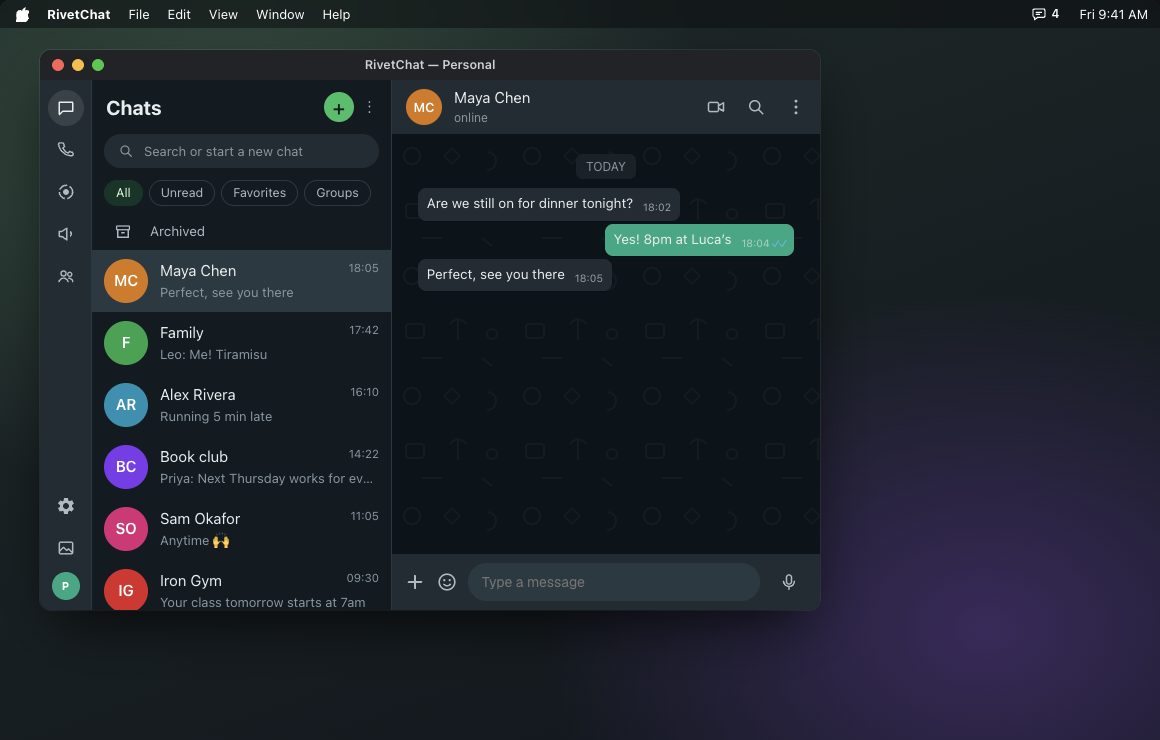
Four WhatsApp numbers shouldn't need three different apps.
With four phones and four WhatsApp numbers, we were using three different apps and browser tabs to keep up on one Mac. Every one had a different chime, a different look and a different window. None of them worked together, and there was no way to organise them.
So we built RivetChat: one app for every number, with a sound and a wallpaper you pick for each account, a lock for your chats, and the same setup on a MacBook and a Windows desktop, with Linux coming soon.
Click around. It works like the real thing.
Chat in any window, send a test message to get a notification, open Settings from the gear in a window's left rail, change wallpapers and bubble colors, lock an account, or fade every window with Stealth Mode.
Add every number you use.
Add an account, give it a name, and link it by scanning its QR code with that phone. Each account keeps its own login, so you never have to sign out to switch.
- Name accounts: Personal, Work, Family…
- Separate login for each account
- Unread count on every account
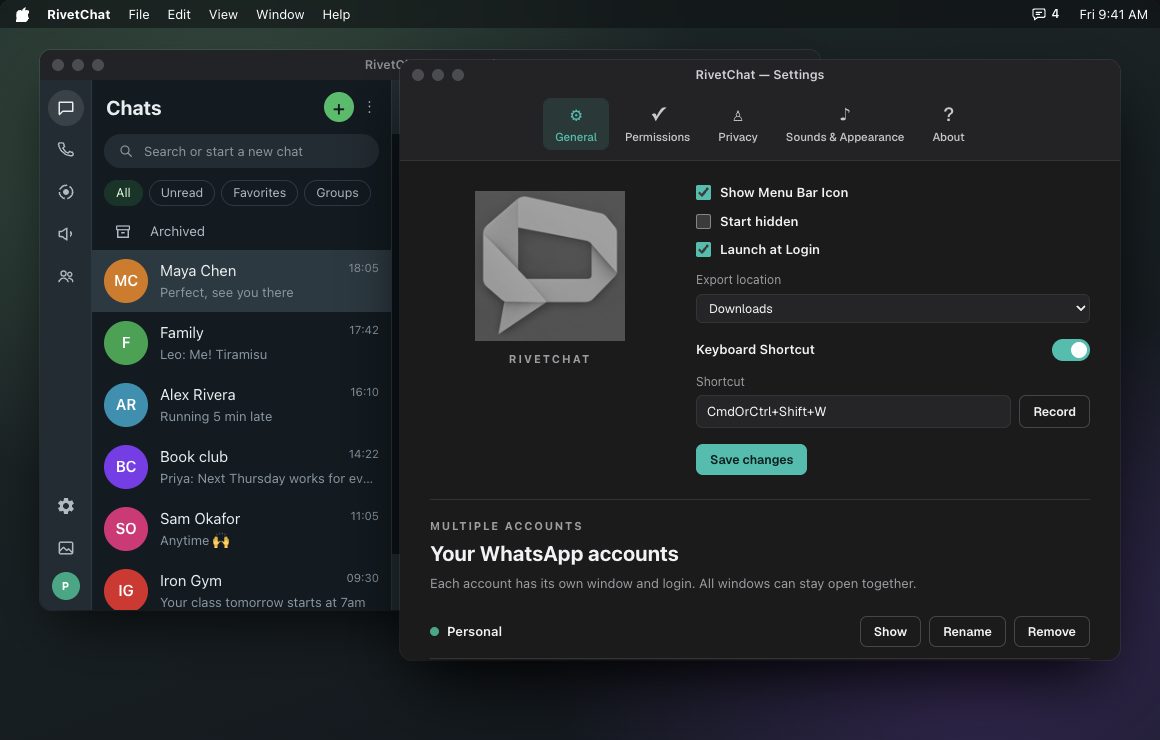
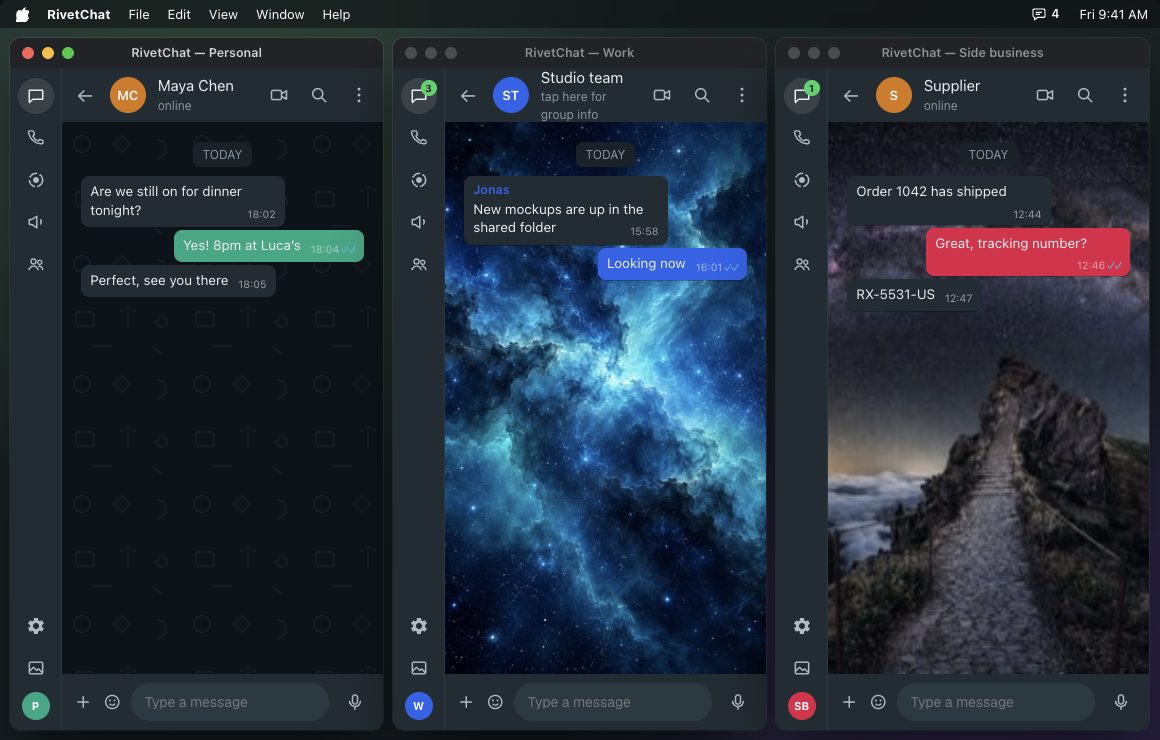
Three numbers, three windows, one desktop.
Open every account at once and stack them, or click Arrange side by side to line them up across your screen. Each window has its own wallpaper, bubble color and notification sound, so you can tell them apart at a glance.
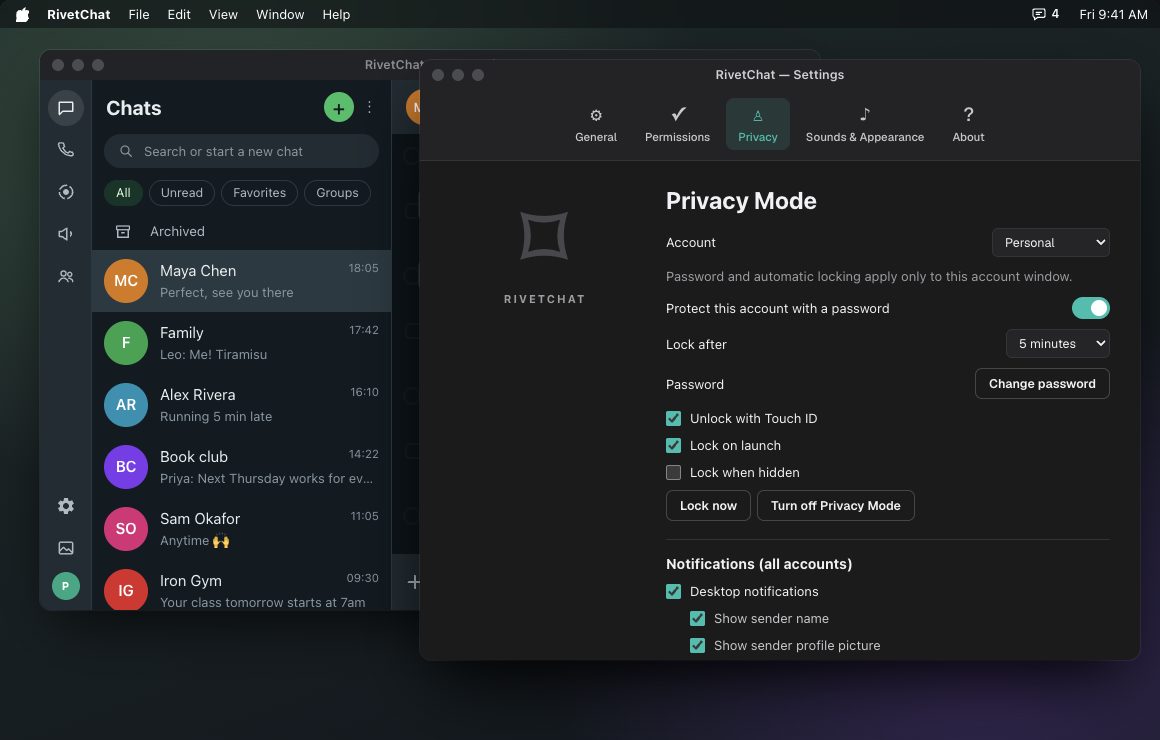
Lock each account on its own.
Give any account its own password. Lock it when you step away, or let it lock itself after a few minutes. Your other accounts keep working while one is locked.
On a Mac you can unlock with Touch ID. On Windows, accounts unlock with their password.
- A separate password for each account
- Locks automatically after 1 to 30 minutes
- Lock on launch and when the window is hidden
- Lock now from the window or the menu bar
- Touch ID on supported Macs
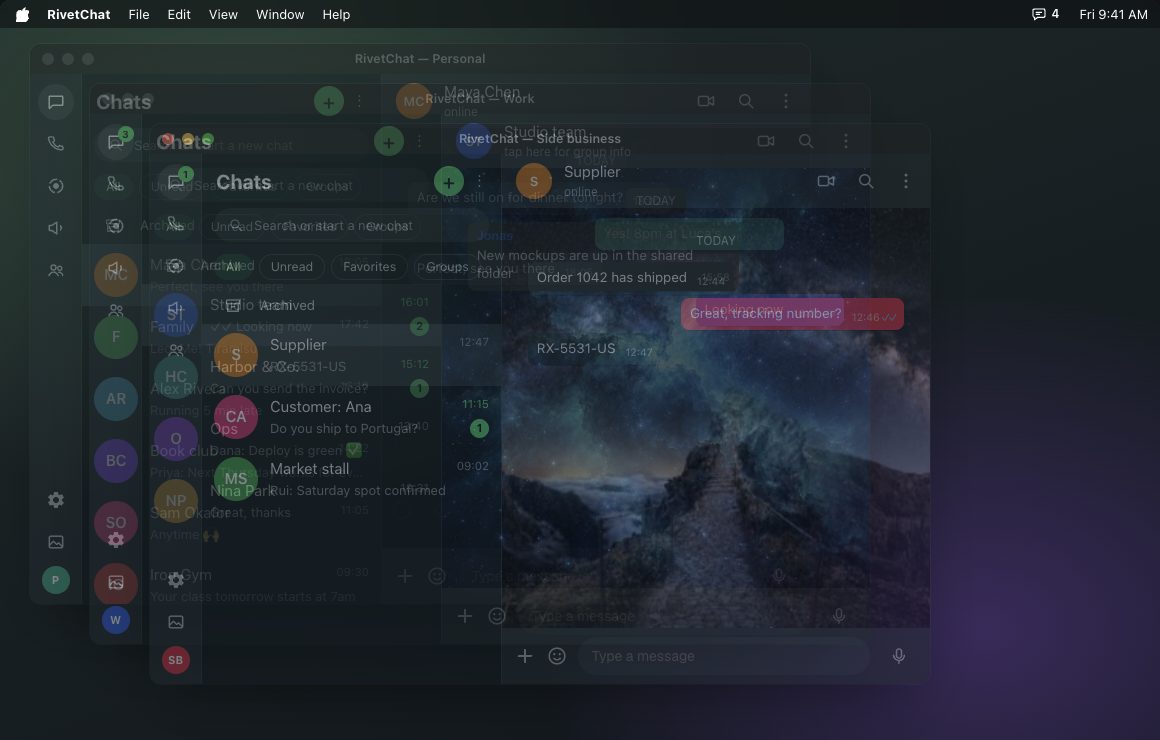
Fade your chats into the background.
Turn on Stealth Mode to make RivetChat windows see-through. Slide the transparency from barely there to fully visible, so your chats stay out of the way of whatever else is on your screen.
- Adjustable transparency
- Applies to every account window
- Works on Mac and Windows
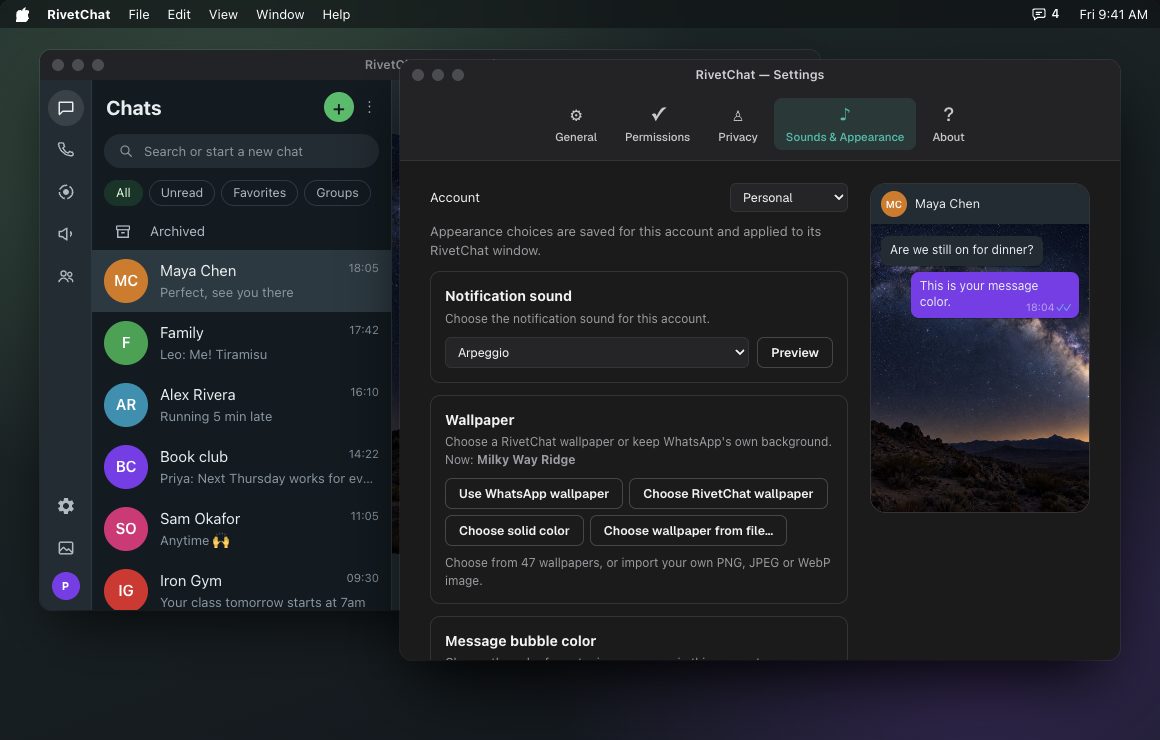
Make every account look and sound different.
Choose from 47 wallpapers or import your own PNG, JPEG or WebP image, pick one of 26 bubble colors for your messages, and give each account its own notification sound. You'll know which number is buzzing before you look.
- 47 wallpapers, or your own image
- 26 bubble colors for your messages
- Arpeggio, Chime, Bell, Glass, Pop and more
- Native notifications with the sender's picture
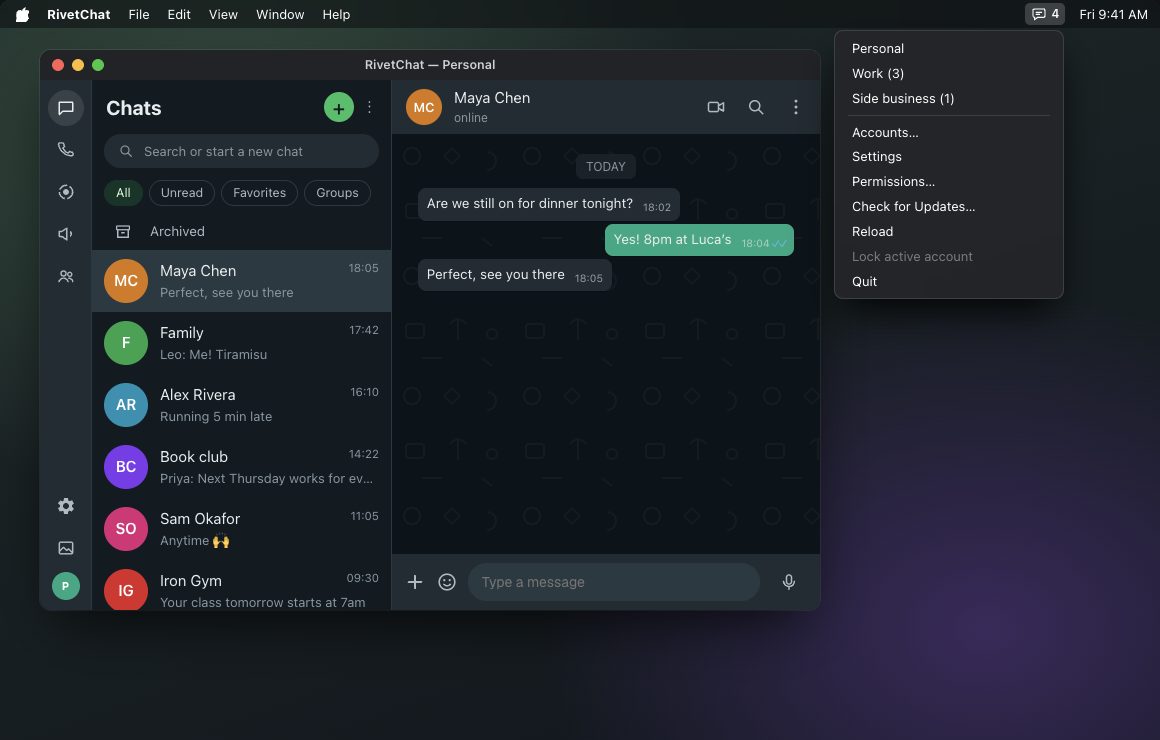
Always one click or shortcut away.
RivetChat sits in your menu bar or system tray with an unread badge. Open it from anywhere with a keyboard shortcut, and have it start when you log in.
- Menu-bar or tray icon with unread badge
- Global keyboard shortcut
- Launch at login
- Choose where downloads are saved
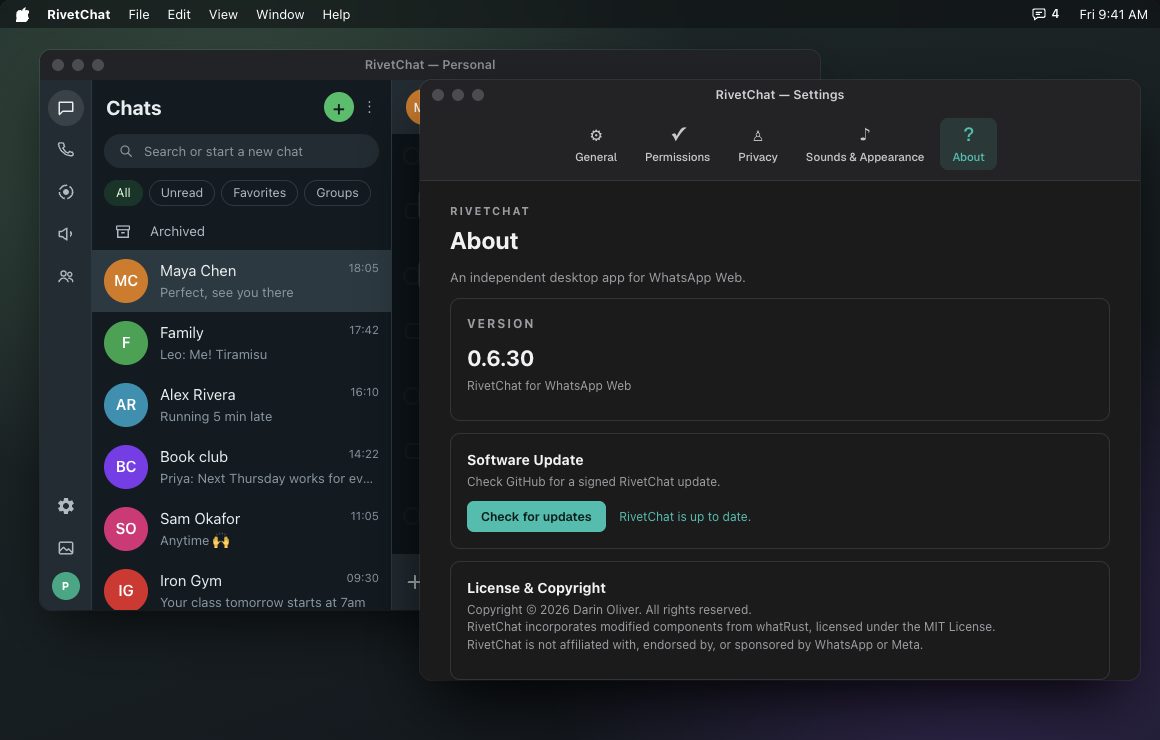
New features arrive on their own.
RivetChat checks for new versions in the background on Mac and Windows. When one is ready, it shows you what's new and installs it with one click.
- Updates install from inside the app
- See what's new before you update
- Same updates on Mac and Windows
Everything in RivetChat
Requirements
| macOS | Mac with Apple silicon (M1 or later), macOS 12.1 or later. Multiple accounts need macOS 14 or later. |
| Windows | Windows 11, 64-bit |
| Linux | Coming soon |
| Account | A WhatsApp account on your phone |
| Price | Coming soon |
Questions
Why not use WhatsApp in a browser, or the official app?
Because keeping several numbers means several apps or tabs, each with its own chime and look. RivetChat puts every number in one app with a sound and wallpaper for each, locks your chats, and works the same on Mac and Windows.
What is RivetChat built with?
RivetChat is built in Rust with Tauri. That makes it a small, fast desktop app that starts quickly and uses little memory.
Is RivetChat made by WhatsApp?
No. RivetChat is an independent app. It is not affiliated with, endorsed by, or sponsored by WhatsApp or Meta. It shows WhatsApp Web in its own desktop window.
Can you read my messages?
No. Your messages go directly between RivetChat and WhatsApp. They never pass through our servers, and we don't collect any data.
Can I lock just one account?
Yes. Each account has its own password and lock settings, so you can lock your work number and keep your personal one open.
How do updates work?
RivetChat checks for new versions on its own. When one is ready, it shows what's new and installs it with one click, on Mac and Windows.
How do I add a second account?
Open Settings, add and name the account, then scan its QR code with the phone that has that WhatsApp account.
When can I get it?
RivetChat is coming soon for macOS (Apple silicon) and Windows 11, with Linux after that. Pricing will be announced at launch.